
Features
Everything Urmi does.
One free plugin, one tour.
A visual editor, a theme builder and a design system in one plugin — plus an MCP server so your AI can use all of it. Jump to a topic below.
01 Editor
An editor that keeps up with you.
What you see is what visitors get.
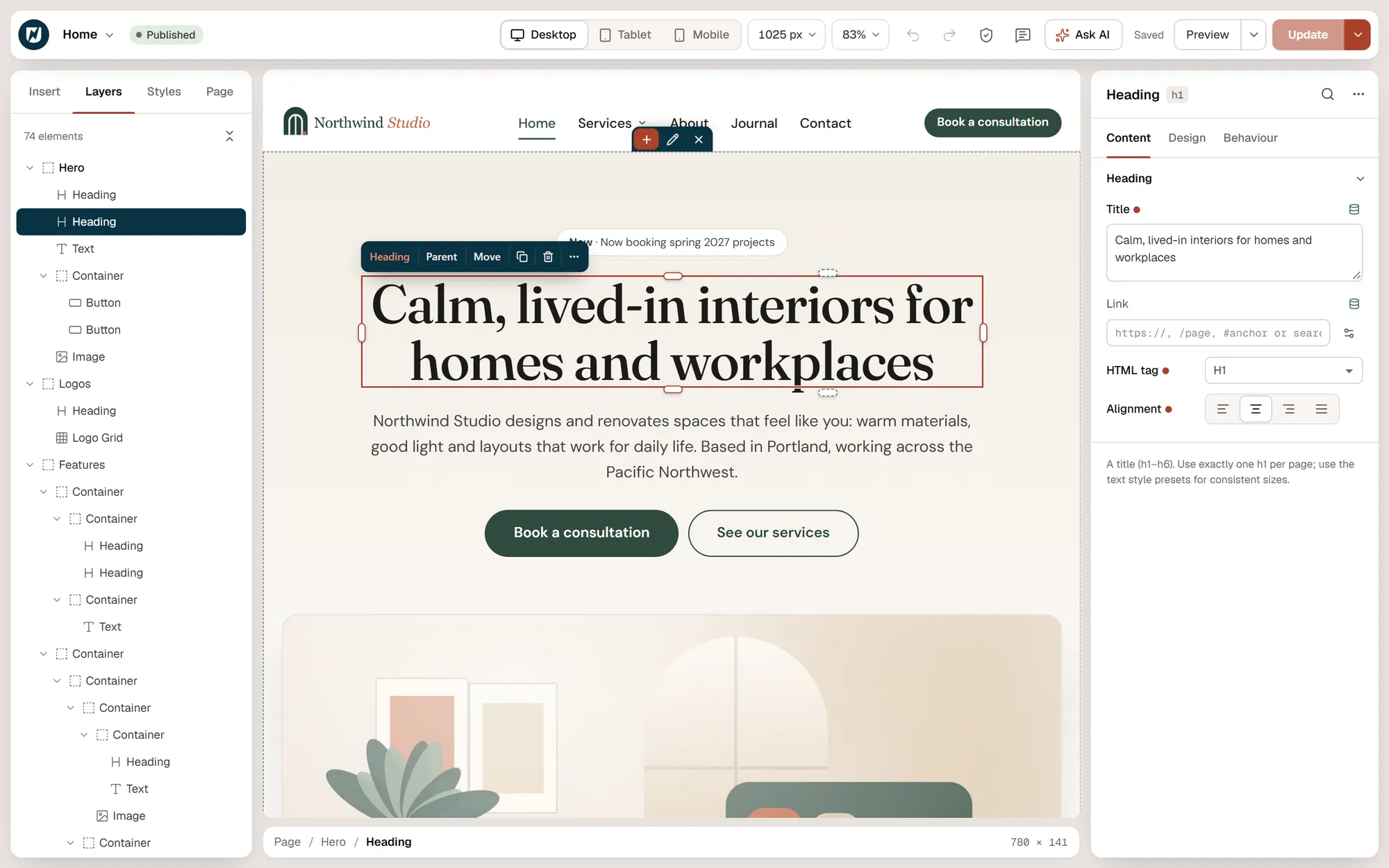
The canvas renders your real theme. Panels stay out of the way until you need them, and every change is one labelled undo away.
The Layers panel, the live canvas and the settings panel. Drag handles for spacing sit right on the canvas.
Building
Staying in control
Moving fast
Working together
02 Layout & styling
Real CSS layout.
Without writing CSS.
Containers are flexbox or CSS grid boxes that nest freely. Every style setting can change per device, and hover and focus states are one click away.
Layout
Style
Motion
Behaviour
03 Design System
Decide once.
Apply everywhere.
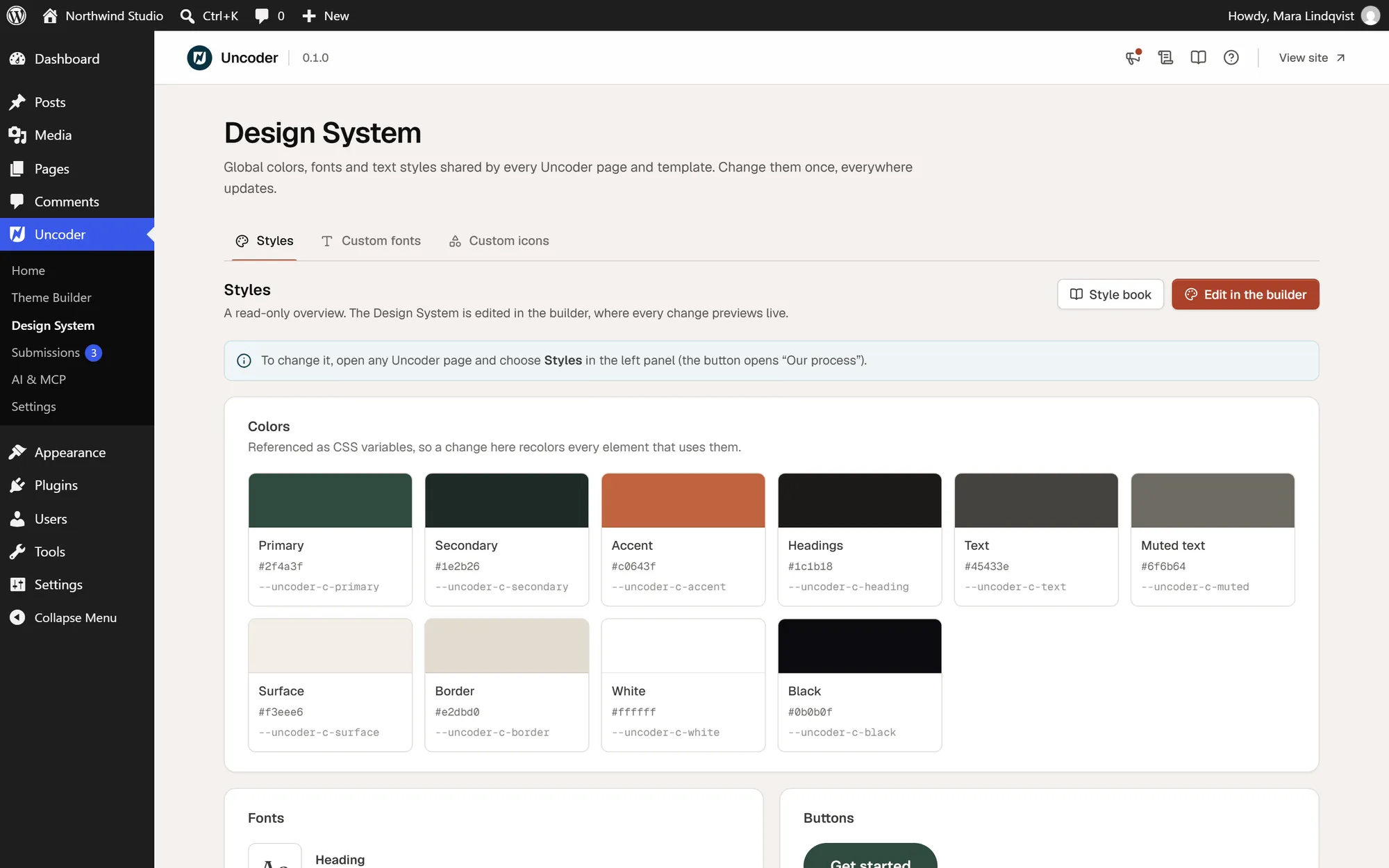
Widgets read the Design System by default, so a change to a color, a font or the button style updates every page, template and popup at once.
Colors, fonts, text styles and buttons in one place, with a style book to review them.
Brand
System
Fonts & icons
04 Widgets
80 widgets,
grouped the way you think.
From a single heading to a filterable loop grid. Every widget renders on the server, and its CSS and script load only on pages that use it.
Layout
6
Container · Accordion · Carousel · Off-Canvas · Tabs · Template
Basic
21
Heading · Text · Button · Image · Icon · Icon Box · Icon List · Image Box · Divider · Spacer · Alert · Blockquote · Counter · Progress Bar · Star Rating · Testimonial · Social Icons · Text Path · Menu Anchor · HTML · Shortcode
Media
12
Image Gallery · Image Carousel · Before / After · Hotspot · Slides · Video · Video Playlist · Lottie · Logo Grid · Google Maps · SoundCloud · Facebook Embed
Marketing
11
Call to Action · Price Table · Price List · Flip Box · Countdown · Animated Headline · Marquee · Testimonial Carousel · Team Member · Share Buttons · Link in Bio
Content
9
Posts · Loop Grid · Loop Carousel · Steps · Timeline · Table · Table of Contents · Breadcrumbs · Code Highlight
Forms
2
Form · Login
Site & theme
20
Site Logo · Site Title · Site Tagline · Nav Menu · Search Form · Language Switcher · Color Scheme Switch · Reading Progress · Loop Filter · Sitemap · Post Title · Post Content · Post Excerpt · Post Info · Post Navigation · Post Comments · Featured Image · Author Box · Archive Title · Archive Description
Every widget, documented
Settings, examples and tips for each widget live in the documentation.
The count excludes the Container, the layout element every section is built from. Widgets you never use can be switched off in Settings → Elements, which also shows where each one is used.
05 Theme Builder
Every part of the theme,
designed visually.
Design the templates your theme would otherwise decide, and choose where each one appears with display conditions.
Site parts
Building blocks
Control
06 Popups
Popups that open
at the right moment.
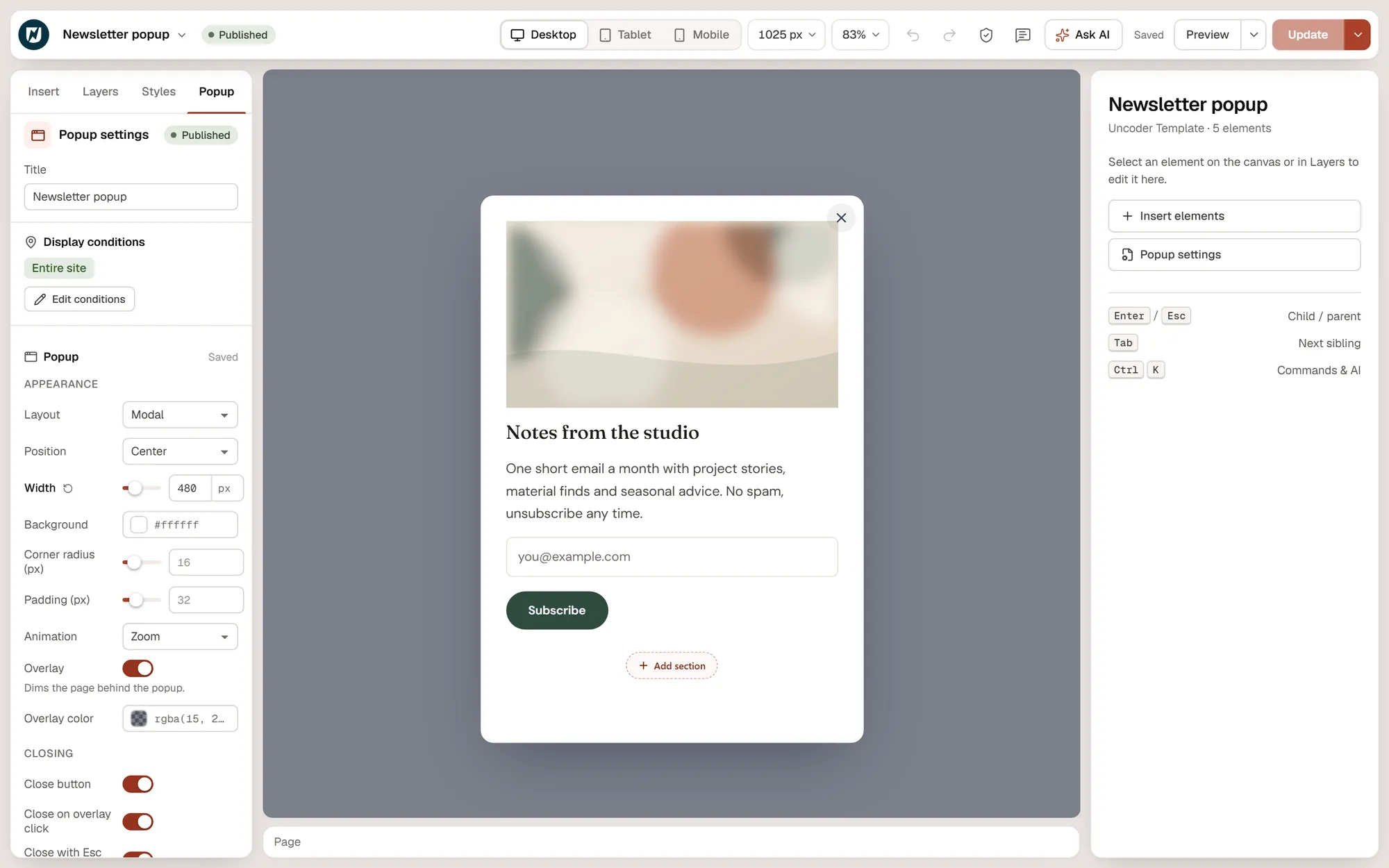
Design the popup like any other template, then decide when it opens, how often and for whom.
Layout, size, overlay and closing options sit next to the canvas while you design the popup.
Layouts
Triggers
Targeting
07 Forms & integrations
Forms that end up
where you need them.
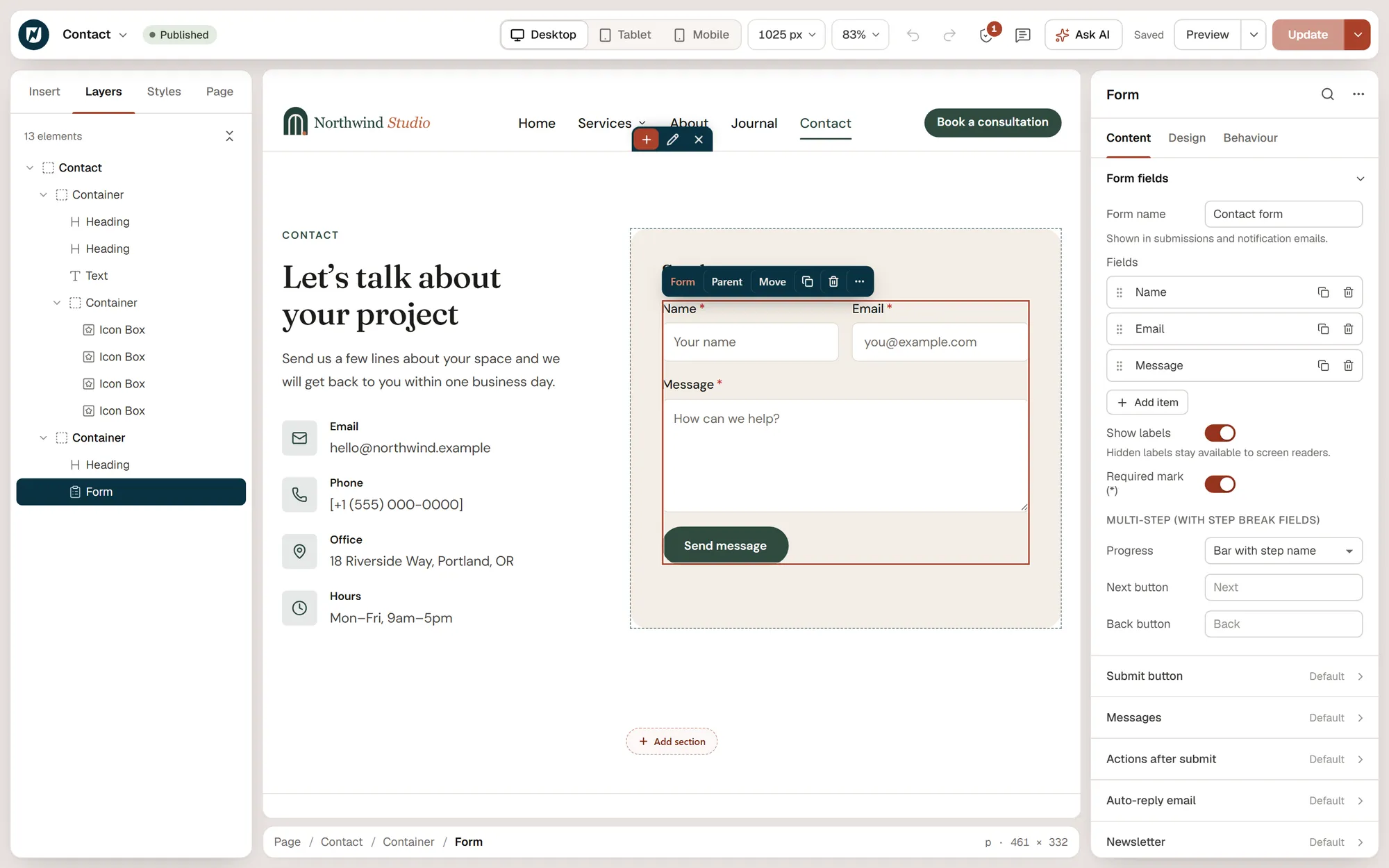
The Form widget validates on the server, stores every submission and sends it on — to your inbox, your mailing list or your team chat.
Fields, steps, actions after submit and spam protection, all in the form’s settings.
Fields
After submit
Spam & data
08 Dynamic content & loops
Templates that
fill themselves in.
Bind any setting marked dynamic to your content, and repeat a card for every post, product or term.
Dynamic tags
Loops
Filters
09 Multilingual
One design,
every language.
Urmi works with WPML and Polylang. A translation starts as a copy of the design and is then edited on its own.
Pages and templates
On the page
10 Performance
Light pages
by default.
Urmi renders HTML on the server and sends only the CSS and scripts a page actually uses.
~2 KB
Front-end runtime. Widget code loads only where it is used.
0
Icon fonts loaded. Every icon is inline SVG.
1
CSS file per page, regenerated in one click.
Output
Loading
Fonts & caching
11 Accessibility
Accessible output,
and checks that catch the rest.
Widgets ship with keyboard support and proper semantics, and two checkers — one in the editor, one for AI clients — point at what needs fixing.
Built in
Checked
Respected
12 Import & export
Move sites, start faster,
bring your past work.
Take a whole site from one install to another, start from a ready-made site, or convert what you built in Elementor.
Site kits
Starting points
From Elementor
13 Support tools
The unglamorous tools
that save an afternoon.
Everything you need to keep a site healthy lives under Urmi → Settings.